See the signal
Make a threshold-crossing impact easier to notice during receiving.
 Giving Every Shipment a Voice™
iNTACT / Standard
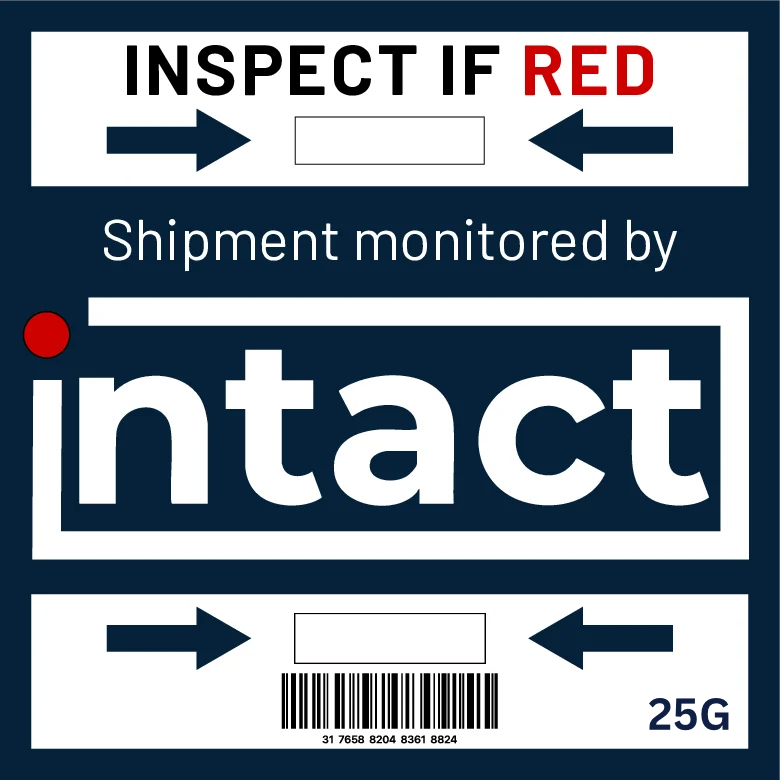
A passive, battery-free shipping impact indicator that makes a threshold-crossing impact visible on the package, so receiving teams know when to inspect.
01 / The product
iNTACT Solutions' Standard Impact Indicator is a compact, passive label applied to the outside of a shipment. Its configured threshold gives the receiver a clear visual cue if an impact crosses the chosen level during transit.
It adds impact context to a handoff and helps teams decide when to inspect. It is not a location tracker, a damage diagnosis, or a replacement for checking the package and its contents.
02 / In use
One simple sequence adds a visible impact check to the shipment’s existing receiving process.
Place the indicator on the outside of the package before shipment.
The passive mechanical indicator travels with the shipment without batteries or electronics.
If the configured threshold is crossed, its red state remains visible when the package arrives.
03 / The signal
When an impact crosses the configured threshold, the indicator window turns red and stays red. The persistent signal tells the receiving team to inspect the shipment on arrival.
A red indication is evidence that the threshold was crossed. It does not say exactly what happened inside the package or identify the time or place of the impact.
04 / At handoff
A visible threshold signal gives a receiving team useful context at the moment a shipment changes hands.
Make a threshold-crossing impact easier to notice during receiving.
Give teams a clear prompt to check the package and contents when they arrive.
Keep impact information visible at handoff without claiming to identify who or where it happened.
05 / Applications
Impact visibility can support receiving checks in the shipment and handling environments represented across iNTACT’s product information.
06 / Standard
The Standard Indicator is a compact, mechanical label for the outside of a package. It operates without batteries or electronics, and its trigger threshold can be configured for the product and packaging requirements.
After a qualifying impact, its window turns red and the state cannot be reset. The persistent indication makes the event visible for inspection later in the shipment journey.
07 / Questions
It is a passive, battery-free label applied to the outside of a shipment. Its configured impact threshold provides a visible signal when crossed.
It signals when an impact crosses its configured threshold. The red signal prompts inspection; it does not diagnose damage to the contents or record when or where the impact happened.
No. The Standard Indicator is passive and mechanical, and does not use batteries or electronics.
Inspect the shipment when it arrives. The red state remains visible and cannot be reset, but it does not by itself prove that the package contents were damaged.
Apply it to the outside of the shipment where its indicator window can be seen during receiving inspection. Follow the product and packaging requirements when choosing a threshold.
Continue exploring
Explore the indicator category, learn how the signal works, or talk with the team about your shipment.